
Getting Started in Ragdoll Frenzy
A calm first-hour plan for JustEvolve’s physics sandbox so you learn grab, blast, slow-mo, and train awareness without wasting time.
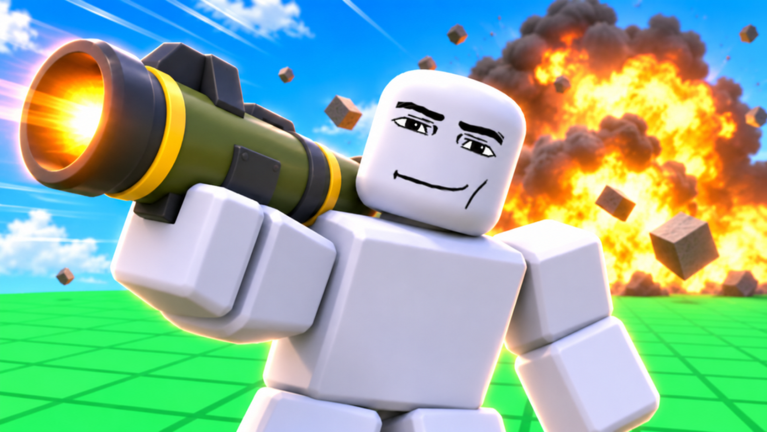
Ragdoll Frenzy is a Roblox physics sandbox by JustEvolve (TheCoolBugGuy). You shoot, blast, and grab dummies, ride slow motion, dodge a dangerous train, and stage brutal finishers for clips. The experience launched on 3 November 2026, supports servers of up to twelve players, and received a multiplayer-focused update the same month. Mild blood effects appear in many scenes and often look purple rather than realistic, but the tone is still chaotic and physical. This guide is your first-hour checklist: join cleanly, learn the UI, grab a dummy, sample weapons, respect the train, try slow-mo, then join other players with good etiquette.
If you want a broader map of tutorials after this page, start from the Guides Hub. Creator context lives on the JustEvolve player page, and patch notes sit under Updates.
Join the game and settle in
Open Ragdoll Frenzy from the Roblox place page, wait for the map to stream, and give yourself thirty quiet seconds before you spam tools. Physics sandboxes punish impatient clicks: you can fling yourself into a hazard, grab the wrong prop, or block someone’s shot line. Check your graphics and volume so you can hear approaching machines and trains. Confirm whether you are in a public server or a private one with friends. Public lobbies mix creators, clip hunters, and brand-new players, so expect sudden chaos.
Walk the spawn area once. Note open lanes, elevated spots, dummy clusters, and any machine silhouettes in the distance. You do not need every gadget yet. Your goal in minute one is orientation, not a highlight reel.
UI overview for the first session
Treat the HUD as a safety net. Typical ragdoll sandbox layouts expose movement, a grab or interact prompt when you face a dummy, a weapon or tool picker, a reset or respawn control, and a slow-motion toggle. Exact labels and keybinds can differ by platform and patch, so read the on-screen prompts instead of memorizing a fan wiki as gospel. When something fails, unequip, reset, then re-approach the dummy.
Mobile players should locate virtual buttons before combat. PC players should confirm mouse click versus hotkey behavior for grab and fire. Console players should test bumpers and face buttons in a clear area. Bookmark the Controls guide and the controls cheatsheet tool once you are ready for a deeper input pass.
Grab a dummy before you open fire
Grabbing is the core verb of Ragdoll Frenzy. Face a dummy with no weapon equipped (or with the grab tool active, depending on the current build), then click or tap when the prompt appears. Hold long enough for the physics attachment to register. Soft pulls teach you mass and drag; hard yanks create spin that looks great on camera but can throw aim for beginners.
Practice three short drills:
- Grab, drag three meters, release.
- Grab, lift slightly, set the dummy down upright.
- Grab, pivot the camera, then release into an open lane—not into a wall or another player.
Those drills build muscle memory for finishers later. When you want the full technique breakdown, open Grab, Shoot, and Blast.
Try weapons without wrecking the lobby
After a clean grab session, open the weapon or tool menu and pick one simple option. Fire into open space or at a spare dummy away from other players. Learn recoil feel, blast radius, and how long ragdoll recovery lasts. Switch tools deliberately instead of cycling mid-chaos. A short controlled burst teaches more than a full magazine emptied at spawn.
Use this first hour to rank weapons by clarity, not by meme damage. Note which tools make camera-friendly arcs and which ones just delete the dummy instantly. Later, compare notes against the Tier List Hub and the dedicated weapons tier list. If promo gifts are live, claim them from the Codes Hub so you are not mid-fight hunting menus.
Watch for the train every time you cross lanes
The train is the signature hazard. It does not care about your cinematic plan. Before you line up a grab or a blast near the tracks, look both ways, listen for approach audio, and leave an escape lane. New players often stand on rails for a funny clip and then complain about random deaths. Those deaths are not random—they are timing mistakes.
Practice one safe dodge: stand near the tracks, wait for a pass, step clear early, then reset. Only after that should you stage intentional near-misses. Full machine and train routing tips live in Train and Machines.
Try slow motion once you can grab cleanly
Slow-mo turns ordinary hits into readable finishers and gives you extra frames to escape the train. Toggle it when you already have a stable grab or a clear shot line. Do not enable it the first time you enter a crowded lobby if you cannot yet move while the world is stretched. Use it for one grab-and-release, one weapon hit, and one near-track dodge. That trio teaches pacing without burning the whole session on camera work.
When you are ready to choreograph finishers on purpose, read Slow-Mo Finishers. Pair that page with short clip study from community videos so you understand timing rather than only button mashing.
Multiplayer etiquette after the Multiplayer Update
Servers hold up to twelve players. That is enough for spectacular chaos and enough for grief if nobody communicates. After the Multiplayer Update, expect more shared moments, more contested dummies, and more people filming. Basic etiquette keeps lobbies fun:
- Do not camp spawn with wide blasts.
- Ask before repeatedly targeting the same player’s staged shot.
- Leave clear space when someone is lining a slow-mo finisher.
- Reset yourself instead of trapping others in awkward physics loops.
- Use voice or chat sparingly and kindly; many players are here for clips, not arguments.
If you prefer curated chaos, play with friends in a private server once you understand the tools. Public servers remain great for discovery and for watching how experienced players stage trains and machines.
First-hour checklist you can repeat
Use this loop every time you return after a break:
- Join and scan spawn, tracks, and machine zones.
- Confirm UI prompts for grab, weapons, reset, and slow-mo.
- Complete three clean grabs.
- Fire one weapon in a safe lane.
- Dodge one train pass without improvising on the rails.
- Toggle slow-mo for one controlled finisher attempt.
- Check Codes if you have not claimed anything today.
- Skim Updates for patch notes that change tools or servers.
What to read next
Stay inside the guides cluster for mechanics: Controls, Grab, Shoot, and Blast, Slow-Mo Finishers, Train and Machines, Tips & Tricks, and Mobile & Console. Use the Tier List when you want opinionated rankings, the Scripts Hub only if you understand Roblox safety risks, and the Wiki overview when you need a site map. With one careful hour, Ragdoll Frenzy stops feeling random and starts feeling like a playground you can direct.
Frequently Asked Questions
Quick answers players ask about Ragdoll Frenzy every day.
What should I do first in Ragdoll Frenzy?
Join, scan spawn and tracks, practice three clean grabs, then try one weapon in a safe lane before you chase train clips or finishers.
Is Ragdoll Frenzy single-player or multiplayer?
It is an online Roblox sandbox with servers up to twelve players. The Multiplayer Update in November 2026 deepened shared play, so expect crowded public lobbies.
Where do I learn controls and keybinds?
Start with the on-screen prompts in your session, then read the Controls guide and the controls cheatsheet tool. Binds can vary by platform and patch.
How do I avoid dying to the train as a beginner?
Stay off the rails until you can hear and see approaches. Practice one early dodge in open space, then read the Train and Machines guide before staging near-miss clips.
Are there codes or ranked weapons for new players?
Check the Codes Hub for active gifts, then browse the Tier List and weapons tier list after you understand grab and blast basics.